
Presentation modes & guidlines
Presentation Modes at the Global Public Health Conference 2027
Physical Conference Presenters
Showcase Your Work and Connect in Person
Oral Presentations
Share Your Insights and Inspire with Your Voice
- Presenters will deliver live, in-person presentations at the conference.
- Each presenter is allocated 12 minutes for the main presentation (PowerPoint recommended).
- A 3-minute Q&A session will follow each presentation.
Poster Presentation
Share Your Research On-Demand with Global Viewers
- A dedicated poster viewing session will be scheduled in the conference programme.
- Each poster presenter will be getting 5 minutes to discuss their poster.
- Presenters should be present by their posters to discuss their research and answer questions.
- This session allows for interactive discussion and networking with attendees.
Live Online Oral Presentation
Present Your Work in Real-Time to a Global Audience
- Presenters join via Zoom to deliver their presentations in real time.
- Each presenter receives 12 minutes for the presentation and 3 minutes for Q&A.
- This format allows for direct engagement with the audience and session chairs.
Pre-Recorded Video Presentation
Share Your Research On-Demand with Global Viewers
- Presenters record a video presentation (maximum 12 minutes) in advance and submit it to the organizing committee.
- The video will be played during the assigned session.
- The presenter must be present online for the 3-minute live Q&A after the video.
Online Poster Presentations
- Posters are presented digitally during the conference.
- Each poster presentation slot is approximately 5 minutes.
- Posters should be submitted as a PowerPoint slide, PDF, or high-quality image.
- All posters will be uploaded to the conference website in advance for participants to view.
- Posters must be submitted two weeks before the conference.
Virtual Conference Presenters
Showcase Your Work and Connect virtually
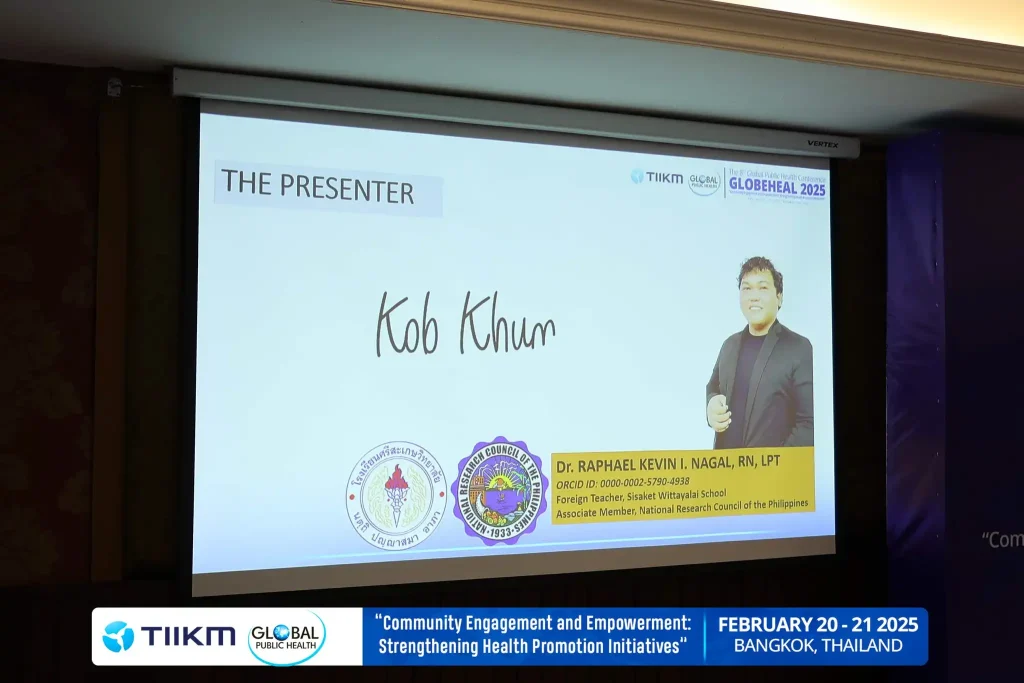
Presentation Guidelines for GLOBEHEAL 2027
Oral presentation guidelines
Oral presentations should combine clear verbal explanations with visual support. Presenters are encouraged to use slides effectively but not to read directly from them.
Tips for effective oral presentations:
- Organize slides logically; one idea should lead to the next.
- Use graphs and charts to illustrate key points clearly.
- Keep slides simple — avoid cluttered text, excessive animations, or distracting elements.
- Follow the 6-6-6 rule: no more than 6 words per bullet, 6 bullets per slide, and 6 text slides in a row.
- Use easy-to-read fonts and high contrast colors.
- Start confidently — consider opening with an insightful fact, quote, or question.
- Avoid jargon unless it is clearly explained.
Before presenting:
- Arrive at least 30 minutes early.
- Submit your final slides to the IT support table 15 minutes before your session.
- Bring a USB backup of your presentation file.
- Inform the organizing committee ahead of time if you have special technical needs.
Technical assistance:
- Technical assistance will be provided during your presentation
- All presentations must run on Windows operating system – a Laptop and the Multimedia Projector will be available. Microsoft PowerPoint is the recommended software to be used.
- A SMART pointer will be provided to run your presentation on the screen.
Poster Presentation Guidelines
Creating an effective poster:
- The poster should clearly communicate the research question, methodology, results, and conclusions.
- Use readable fonts and appropriate layout for clarity.
- Avoid unnecessary jargon — present information in a way that is accessible to a wider audience.
- Use visuals to support text, not overwhelm it.
Poster specifications:
- Size: Maximum of 2 × 3 feet (width × height).
- The heading should include the title, the presenter’s name, and affiliation.
Poster Submission:
- Posters must be handed over at the registration desk before the session.
During the viewing session:
- Presenters should be available at their posters for interaction with attendees.
What is a poster presentation?
A poster presentation is a visual summary of your research. Posters combine graphics, charts, and text to communicate key findings.
Virtual Presentation Guidelines
If you are unable to attend the conference in person due to financial constraints or other unavoidable reasons but still wish to have your paper presented and published, we offer virtual presentation options for your convenience.
Two types of virtual presentations are available:
- Live Video Presentation via Zoom
- Pre-Recorded Video Presentation
Live Video Presentation via ZOOM
The Live Video Presentation via Zoom allows authors who are unable to attend the conference physically to participate remotely while experiencing the conference in real time, similar to on-site participants
What is Zoom?
Zoom is a platform designed to offer complete Unified Communications maintaining High-Quality Standards. Web Conferencing platform enables Video and Voice Communications to take place through the Internet Browser with Peer Participants and relevant Session Chairs, which allows to seamlessly join meetings with zoom software or zoom application in web browser.
This mode of presentation provides an excellent opportunity to:
- Present your research live to the conference audience through an online platform
- Interact face-to-face using high-definition video and audio
- Engage in live discussions with peer presenters, session chairs, and evaluation panel members
- Share your screen, slides, and PDF documents during the presentation
- Receive real-time feedback from an international academic audience
- Be evaluated by an international evaluation panel and compete for Best Presenter Awards
- Remain eligible for all publication opportunities available to regular presenters
Virtual Presentation Package Includes
- Publication of the abstract in the Conference Abstract Book
- An allocated presentation slot with a live Q&A session and engagement with conference delegates
- Conference materials, including:
- Author certificate as a virtual presenter
- Book of Abstracts (soft copy)
- Conference program book (soft copy)
- Conference group photographs
- Eligibility to publish in the conference proceedings
- Opportunity to submit the full paper for peer review to the conference’s supporting journals
How to be a Live Video presenter?
You are required to submit a proposal/Abstract which will undergo a double-blind peer reviewing process for the Abstract Acceptance. Upon the confirmation to the Conference, a test run will be conducted by the organizing committee in close proximity to the Conference. The participant will be given guidelines on how to connect during the Conference and present.
Test-run your presentation before the conference
Once you have registered and paid for the conference, you will receive an opportunity to have a trial live presentation with the organizing committee to test the application at the mock run which will be taken prior to the conference. This will give you the technical knowledge to do the presentation smoothly.
What are the Requirements?
- Laptop with headset/ Desktop with Webcam and Microphone/headset
- Updated Chrome Browser
- Virus Protections are needed to be paused/disabled before the start, if not will block the webcam.
- Bright and calm environment with a professional background.
Pre-recorded Video Presentation
To be a virtual presenter under the pre-recorded video presentation category, you need to send us your PowerPoint presentation (with video and/or audio embedded to the presentation). ‘This Option is for the Participants who would like to Record the Presentation and play it than Presenting Live at the Conference. The Presenter should record the 12 Minutes Video Presentation and send it to us (The Video should be 12 minutes or lesser and the conference secretary will inform the exact time). The Organizing Committee will play the Video in your Presentation Slot. The Presenter should be present during your presentation slot, especially for the Q&A Session (03 Minutes Q&A). The presenter has to inform the organizing committee if he/she will not be able to attend the Q&A session.
Please note that the same publication opportunities that are available regular presenters will also be available to you. You are still required to submit a proposal/abstract, and one author must pay the registration fee.
- Abstracts will be published in the Abstract Book.
- An opportunity to publish in conference proceedings.
- An opportunity to submit your paper for peer review to the supporting Journals
Related links
- Explore the presenter benefits available at GLOBEHEAL 2027.
- View the presenter fee details and payment options for the Public Health Conference 2027.
- Learn about the attendee benefits of joining GLOBEHEAL 2027.
- Reach us for inquiries and support regarding the International Public Health Conference 2027.